• Home
  • Technology
  • Mobiles
  • Android
  • Apps
  • Gadgets
  • How to
  • Social Media
  • Business

Techieword

Technology and Mobile Updates

  • WhatsApp Status
    • Funny Whatsapp Status
    • Real Girls Whatsapp Numbers
    • Whatsapp DP For Stylish Boys
    • Whatsapp Group Links
    • WhatsApp Dare Games
    • GBWhatsApp APK
      • Fouad WhatsApp Apk
      • YoWhatsApp Apk
      • FMWhatsapp Apk
  • Instagram Captions
    • GB Instagram APK
    • Instagram for PC
    • Instagram Apps for Mac
  • Stylish Facebook Profile Names
    • Facebook Auto Likes
    • Facebook Profile Pictures for Stylish Boys
    • Change FB Name Without Waiting
    • How to Delete Facebook Account
      • How to Block Facebook Messenger Bots?
      • Unfriend All Facebook Friends At Once
  • Netflix Premium MOD APK
    • Free Netflix Accounts
    • Hotstar App
      • Download Hotstar Videos
      • Free Hotstar Premium Accounts
  • 123MOVIES Unblocked
    • Xmovies8
    • YIFY Torrents
    • Project Free TV
    • Hollywood Hindi Dubbed Movies

How To: Hide Files & Folders Inside Calculator On Android

January 10, 2017 by kksilvery

Tweet
Share
Pin
Share
0 Shares

There is no operating which has more options and features than the Android. With that being said it is known fact that many users have content and media which they do not want to share with any third-party and you can do that if you have an Android smartphone. Privacy is the top priority which can save a lot of people from different situations.

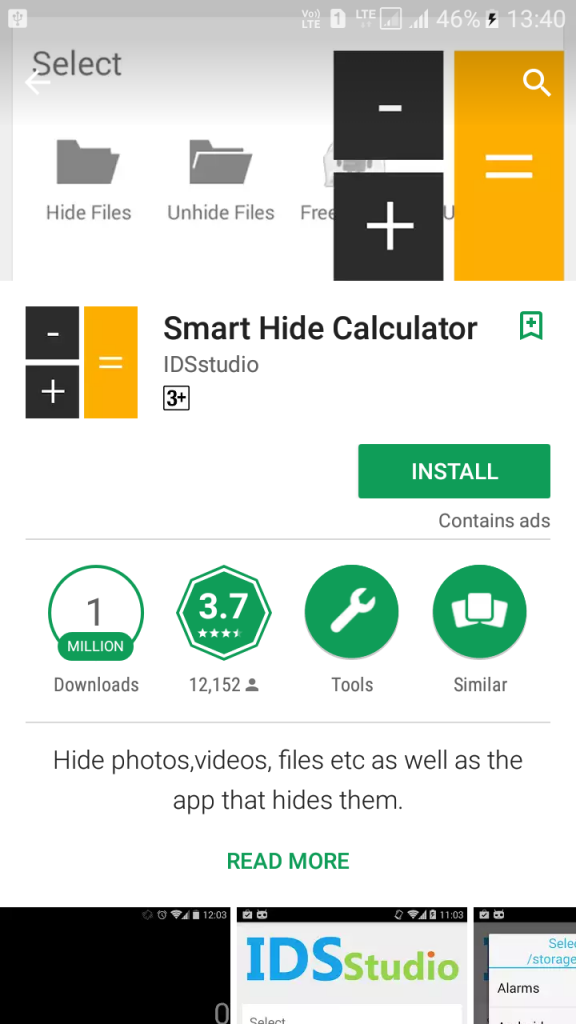
There is no official trick that you can do that even if you have coding language, you cannot do that with a couple of commands. But since the world is significant, among the billion Android users there is developers and master who have worked on it and made an app available on the Google Play Store. If you have basic knowledge of how to do it, then you can download the app from Google Play Store. The app is called ” Smart Hide Calculator.”
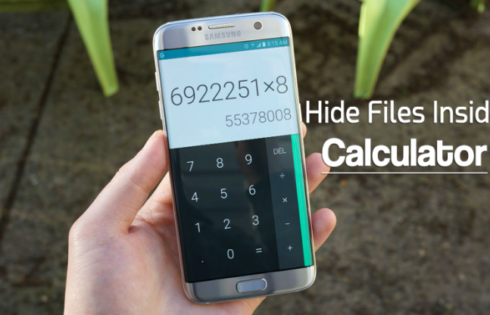
Do you wan to learn how you can lock Your Android Smartphone? then find out how you can lock your smartphone within seconds with your calculator

In case, if you have heard it for the fist time then you need guidance, then only follow me with the next steps which I’m going to explain in few moments.

HowTo: Hide Files & Folders Inside Calculator On Android

“Smart Hide Calculator” is an Android app which is downloadable for free on the Play Store for free. Smart Hide Calculator is a Files and Folders locker which is made so that you can seal the content which is only allowed to for you to open and check the content. The interface of the app is very straightforward and straightforward, and you can only lock the files and folders which can be unlocked from the calculator.

1# Download the App: Before we can begin the process, it is advised that you download the app from the app store and install it.
Hide Files & Folders Inside Calculator On Android


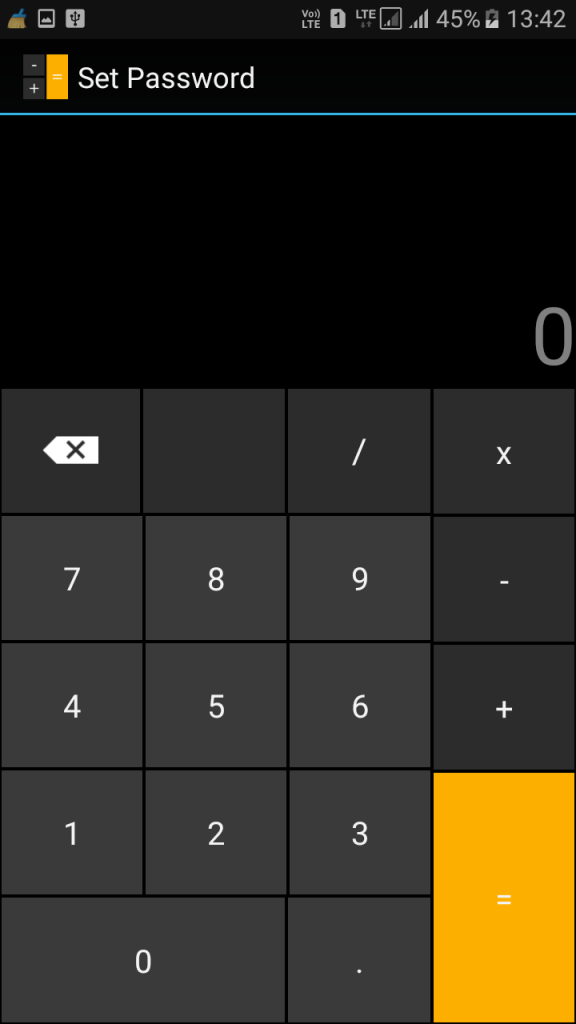
2# Set The Pass: Once you are done with the installation, kindly fire up the app. Now once the app opens you will be asked to set up a password. By setting the password, it will use the p[assword to lock and unlock files and folders from your smartphone.
Hide Files & Folders Inside Calculator On Android

3# Let’s Gets Started: Once you set up the password, it is pretty much done from there, now you will be redirected to the dashboard.

Hide Files & Folders Inside Calculator On Android

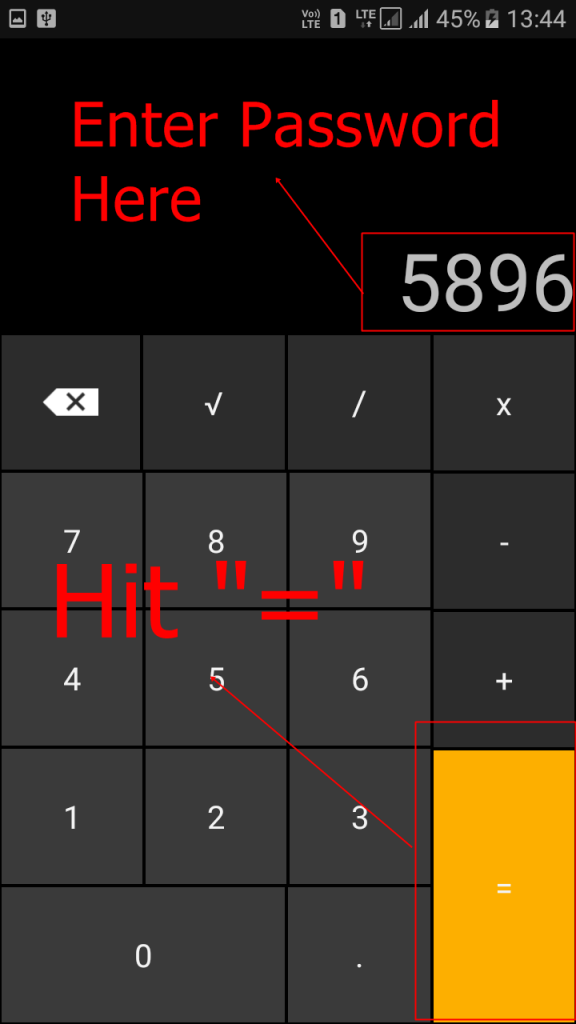
4# Access the Fault: To access the vault, you need to you need to enter the password first, then tap “=” to access the vault.
Hide Files & Folders Inside Calculator On Android

4# Play With The App: Enter the password and tap on the ‘=’ button, you will be redirected to the dashboard with the options “hide Files and Unhide Files”.
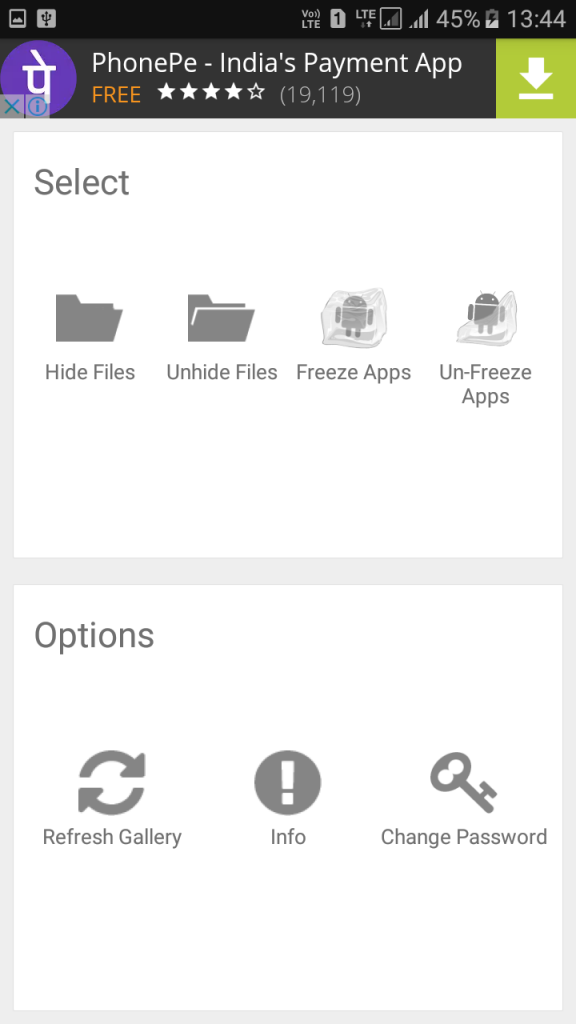
Hide Files & Folders Inside Calculator On Android

Now you do need anyone to show you the further steps as you can simply highlight the file and the folders to crack and check what’s going on with the files and folders.
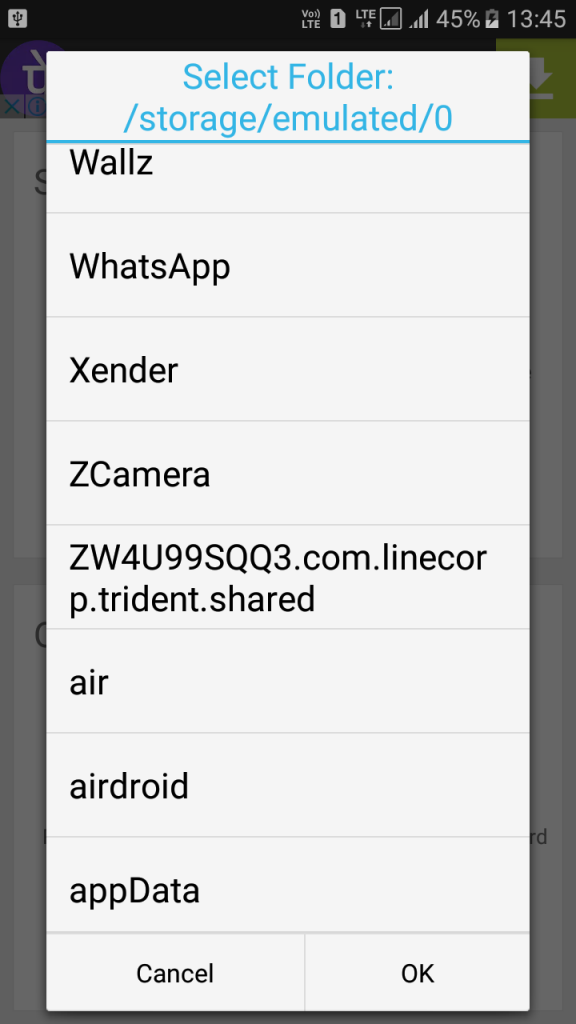
Hide Files & Folders Inside Calculator On Android

Conclusion

Hiding folders and archives from the unauthorized access is a wise idea. In daily life, there are many people around us who access our smartphones to make a call or just to check their status, and you don’t want them to look at your personal data which is not meant for them to see.

Filed Under: How to Articles Tagged With: Android, Calculator, Files, Folders, How-To, kksilvery, Lock

Categories

Recent Posts

  • How Contactless Cards Can Help Businesses During the Coronavirus Pandemic
  • Essential Tools When Starting A New Project
  • Take care of your mental health during COVID 19- Here’s how!
  • Vivo vs Mi: What should you pick?
  • Incorporating Artificial Intelligence into Web Application Development
  • 4 Tips for Organizing Your Computer Files
  • How Full Forms Helps Students To Learn Technologies
  • Top 10 Strategies To Save Your Business From The Corona Crisis
  • Data Science: Why are all Companies Crazy about it?
  • How to Look Good in Every Picture

Follow Us

  • Facebook
  • Twitter

About Us

TechieWord is India’s next authentic tech information provider. The tech blog is for the readers who want to explore their smartphone to another level. It focuses on providing authentic and confirmed content before we publish, and we are against foul play and illegal activities on the site.

[email protected] for more details.

Subscribe for Website Updates

Enter your email address to subscribe to this blog and receive notifications of new posts by email.

Site Links

  • About Us
  • Contact The Team
  • Privacy Policy
  • Advertise With Us
  • Write For Us | Submit Guest Post

Copyright © 2020 · Techieword.com · All Rights Reserved